
Comparison guide

Find the right tripo alternative 3d model workflow

Choosing a tripo alternative 3d model workflow is less about finding one universal winner and more about matching your input, quality target, delivery speed, and editing needs. This guide compares practical paths without treating a single tool as best for every project.

Comparison of AI-generated 3D model workflows and outputs

Total-cost table

Total cost is more than a subscription line. Include setup time, generation limits, cleanup, export friction, and the cost of learning a second workflow.

Tripo

Top pick

Best balanced starting point for fast, general 3D generation.

Works well

  • One focused workflow for turning prompts or reference images into 3D assets.
  • Good fit for early concepts, prototypes, and users who do not want to assemble a local stack.
  • Less process overhead when the first usable model matters more than deep manual control.

Trade-offs

  • A generated asset may still need retopology, UV checks, material work, or rigging.
  • Results can vary with the reference image, prompt specificity, and subject complexity.
Meshy

A strong alternative when presentation, texturing, and asset finishing are central.

Works well

  • Useful for creators who judge the result heavily by materials, color, and surface presentation.
  • Can fit teams already familiar with its interface and export habits.
  • Worth testing when a particular subject repeatedly looks better in its pipeline.

Trade-offs

  • Switching creates learning and export overhead if Tripo already meets the brief.
  • A polished appearance does not automatically solve topology, proportions, or production constraints.

Local or open-source workflow

Best for technical users who value control over convenience.

Works well

  • More freedom to inspect, modify, automate, and combine models or processing steps.
  • Can be useful for repeatable internal pipelines and specialized experimentation.
  • Avoids dependence on one hosted interface for every stage of production.

Trade-offs

  • Hardware, installation, model management, and troubleshooting become part of the project.
  • The apparent free route can cost more in setup and manual cleanup time.

Where quality differs

Quality has several layers. A model can look impressive in a turntable and still need substantial work before it belongs in a game, product page, animation, or fabrication pipeline.

Tripo Common alternatives
First-pass shape Strong for quickly blocking recognizable objects and characters from a prompt or image. Some alternatives may produce a better silhouette for a narrow subject category.
Surface appearance Useful for concept review, with results depending on the source and generation request. Texture-focused tools can sometimes deliver more immediately polished materials.
Topology Treat the mesh as a starting point and inspect it before production use. Local or specialist workflows may offer more control, but not necessarily cleaner defaults.
Reference fidelity Best when the input image is clear, centered, and shows the important features. An alternative can win on a specific reference style after direct testing.
Editability Segmentation and export can support further work, but manual cleanup may remain necessary. Technical pipelines may expose more stages for targeted editing and automation.
Consistency Convenient for repeated ideation, but keep prompts and references standardized. A controlled local pipeline may be easier to lock down for repeatable batches.
Production readiness A useful base for review and iteration, not a promise of final topology or rigging. No alternative removes the need to validate scale, UVs, materials, and deformation.

Where time differs

Compare the whole path from brief to usable asset, not only the seconds spent generating a mesh. The fastest tool is the one that leaves the least avoidable rework.

or

Option 1

You need a concept today and can accept a cleanup pass

Start with Tripo and keep the prompt, reference image, and desired style tightly scoped.

A single hosted workflow reduces setup time and lets you test several directions before committing to production work.

or

Option 2

Your team repeatedly needs presentation-ready materials

Run the same brief through Tripo and a texture-oriented alternative, then compare the finished review images.

The better choice is determined by total revision time, not by the first mesh alone.

or

Option 3

You need automation, repeatability, or unusual technical control

Evaluate a local or open-source route alongside Tripo using a fixed test set.

Extra setup can be justified when it reduces repeated manual steps across many assets.

When switching is worth it

An alternative is useful only when it improves a measurable part of your process. Switching tools will not automatically fix weak references, unclear briefs, or missing production steps.

1

No tool guarantees final topology

A visually convincing generation can still contain stretched faces, hidden artifacts, uneven density, or awkward joins.

What to do instead

Budget a mesh inspection and cleanup stage before rigging, animation, simulation, or fabrication.

2

No alternative removes subject ambiguity

A single image may hide the back, underside, scale, or construction of the object, so different tools can make different guesses.

What to do instead

Supply multiple views, a simple sketch, dimensions, or a deliberately constrained prompt.

3

No hosted tool replaces a production pipeline

Generation is only one stage; UVs, materials, naming, scale, rigging, and export settings still need decisions.

What to do instead

Define an acceptance checklist and test the exported asset in its final destination.

4

No switch is free in time

A new interface introduces learning, prompt translation, file conversion, and another place to track versions.

What to do instead

Switch only after a small benchmark shows a recurring gain on the assets you actually make.

Quality check in one frame

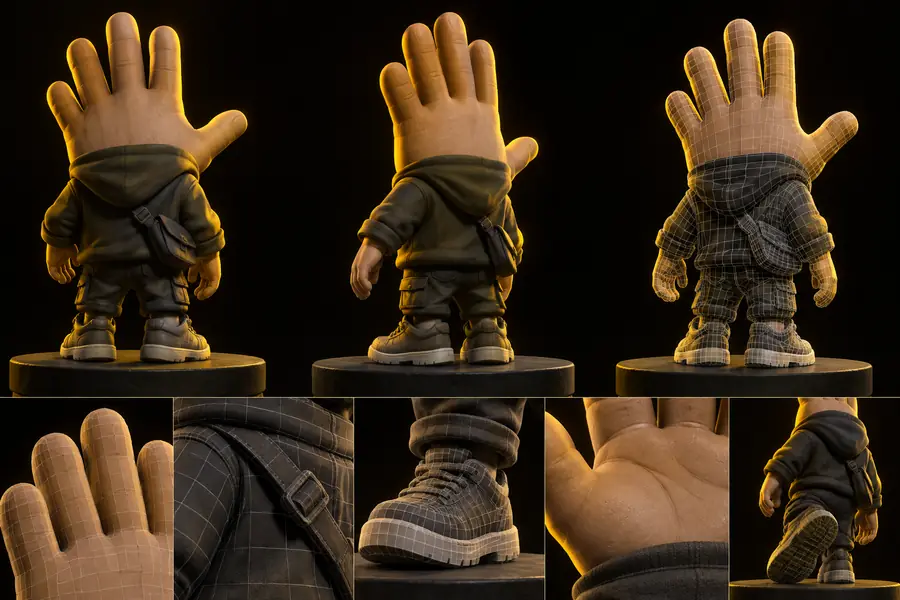
Use a same-subject comparison to judge whether an alternative improves the result you care about. Look beyond the thumbnail: inspect silhouette, hidden geometry, texture seams, and the amount of cleanup left after generation.

AI-generated 3D asset used as a baseline comparison Alternative 3D generation workflow shown for comparison

Baseline workflow

Compare the same brief and reference.

Alternative workflow

Make the next model decision

Start with one representative asset, one clear reference, and the final destination in mind. Try Tripo first when you want a direct route from idea to model; test an alternative only when you can name the quality, speed, control, or export problem it should solve.

  • Use the same prompt and reference in every test.
  • Judge the exported asset, not only the preview.
  • Keep a cleanup estimate beside each result.
Try Tripo

Comparison FAQ

These answers address the main question behind an alternative search: which option is worth testing for the work you actually need to complete?

Common alternatives include Meshy, local or open-source 3D generation workflows, and specialist tools focused on texturing, retopology, or a particular asset type. The best option depends on whether you value speed, surface appearance, repeatability, or technical control. Test the same brief across tools before deciding.

Meshy can be a good alternative when its texture presentation, interface, or asset workflow fits your project better. Tripo may remain the simpler choice for fast general-purpose ideation. Compare the complete path to an exported, usable asset rather than judging only the first preview.

Check reference fidelity, silhouette quality, topology, texture handling, export formats, segmentation, consistency, and the amount of cleanup required. Also include setup time and learning effort, because an alternative that adds friction may not improve the project overall.

Not automatically. A free or local route may provide more control, but hardware, installation, model management, and manual cleanup can add significant work. It is better when those extra responsibilities produce a repeatable advantage for your specific assets.

Start creating
Start creating