Indie game teams
A small team needs several environment props or characters before it has time to model every idea by hand.
Generate a broad asset set for blockouts, pitch builds, and early playable tests, then keep only the strongest directions.
Game asset workflow
Tripo helps game developers move from a rough idea, image, or written description to a usable 3D starting point. Explore concepts quickly, then refine topology, materials, rigging, and optimization in your existing tools.

Audience map
Different game teams enter the asset pipeline with different constraints. Tripo is most useful when it removes an early bottleneck without pretending to replace art direction or final production work.
A small team needs several environment props or characters before it has time to model every idea by hand.
Generate a broad asset set for blockouts, pitch builds, and early playable tests, then keep only the strongest directions.
An artist has a concept sheet or a visual reference but wants a dimensional starting point for proportion and silhouette checks.
Use a generated model as a base for sculpting, retopology, costume development, or pose exploration.
A pipeline team needs to test import, material, scale, or rigging assumptions before a final asset is commissioned.
Validate the handoff between generation and the game engine while documenting where manual cleanup is still required.
A mechanic, level, or campaign needs visual assets before the art backlog can support a polished production pass.
Create readable visual placeholders that help the team discuss scope, composition, and player experience earlier.
Choose the right entry
The best input depends on what the team already has and what must be decided next. Choose the route that preserves the most useful information for your stage of production.
Option 1
Start with image-to-3D generation, then inspect silhouette, proportions, and visible surface detail.
The reference anchors the first pass, making it easier to compare the result with the intended design.
Option 2
Use text-to-3D generation to produce several visual directions before choosing one to refine.
Written prompts are useful when the team wants to vary form, style, role, or setting without redrawing every concept.
Option 3
Treat Tripo as a concept and base-mesh accelerator, followed by manual modeling, retopology, UV work, materials, rigging, and engine checks.
A generated mesh can save time early while the final asset still receives the technical and artistic supervision your game requires.
Practical workflows
Each workflow begins with a common game-development input and ends with a clearer next step for the art or technical team.

Upload a clear reference and use the generated model to test scale, silhouette, camera readability, and scene composition before committing to a final modeling pass.

Turn a concise design brief into several candidate assets. Compare shape language and visual identity before an artist invests in a polished hero asset.

Use segmentation to inspect or separate logical pieces of a generated model before cleanup, material assignment, animation preparation, or engine import.
A repeatable handoff
Keep the generated result inside a simple review loop: create, evaluate, and prepare.
Start with a focused prompt or a reference image that communicates the asset's role, form, and visual priorities.
Check silhouette, proportions, visible detail, part separation, and whether the result supports the intended game camera.
Move the promising base into your DCC and engine workflow for topology, UVs, textures, rigging, performance, and final art direction.
Know the boundary
A realistic game pipeline uses generation to accelerate decisions, not to remove every specialist step.
Generated geometry may need retopology, cleanup, edge-flow changes, and polygon reduction before real-time use.
What to do instead
Budget a manual cleanup pass and test the result in the target engine early.
A plausible model is not automatically consistent with your game's style, lore, visual hierarchy, or platform constraints.
What to do instead
Define a style guide and use human review to select and reshape outputs.
Characters and articulated props may require corrected joints, clean deformation zones, a controlled skeleton, and tested weights.
What to do instead
Treat the output as a base and have a technical artist prepare the rig and deformation.
Import settings, shaders, collision, memory budgets, naming rules, and platform performance still depend on your tools and project.
What to do instead
Run an engine import checklist on representative assets before scaling the workflow.
Before you begin
A small amount of preparation helps Tripo produce a result your game team can evaluate instead of a vague image-to-mesh experiment.
A clear asset goal, such as character, prop, vehicle, or environment piece — State what the object must communicate in the game.
A focused reference image or a specific written description — Avoid combining unrelated subjects in the first attempt.
A defined target use, such as blockout, concept review, or engine test — The target determines how critically to judge topology and detail.
A DCC or game engine for cleanup and validation — Use your existing production tools for the final technical pass.
A style guide, palette, or comparable approved assetoptional — Optional, but useful for keeping exploratory outputs visually coherent.
Prompt starting points
These examples show the level of specificity that helps a game team judge a generated asset. Copy a prompt, then adapt the role, silhouette, materials, and style to your project.
A detailed fantasy dragon with broad wings, layered scales, strong silhouette, and a heroic game character pose
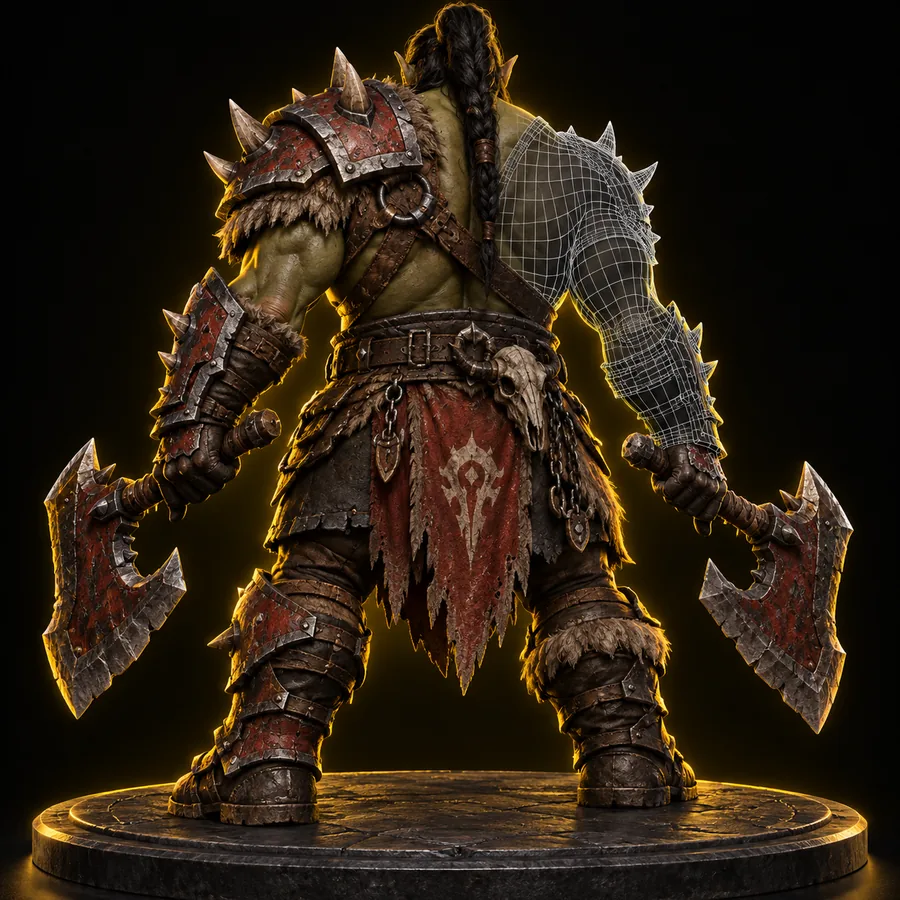 Creature
result
Creature
result
A sturdy dwarven warrior in layered armor with a heavy hammer, readable proportions, and a stylized game-ready character design
 Character
result
Character
result
A low-poly monster with a clean chunky silhouette, simple facial features, broad feet, and colorful stylized game asset proportions
 Low poly
result
Low poly
result
Keep one subject per prompt, then add only the details that affect silhouette, role, materials, or gameplay readability.
Start with one asset
Tripo gives game developers a faster way to test visual ideas before the full production pass. Begin with one prop, character, or environment piece and judge it in the context of your pipeline.
Scenario FAQ
Answers for teams evaluating Tripo as part of a game-development asset workflow.
Tripo can help create starting points for commercial game production, but your team should review the applicable usage terms and the origin of any references you provide. Human review, editing, and approval remain important before shipping an asset.
Tripo is useful for concepting, blockouts, visual exploration, and base meshes. Game developers should still expect to handle topology, UVs, materials, rigging, collision, optimization, and engine validation before a final release.
Describe one subject and include its role, silhouette, proportions, materials, and visual style. Mention details that matter to the game camera, such as a readable weapon, broad shape language, or separated functional parts.
Yes, it can provide useful character and creature starting points for silhouette exploration, design reviews, and early prototypes. Character artists will usually need to correct anatomy, topology, deformation areas, and rigging preparation.
Treat the model as an asset candidate rather than a finished import. Review scale and orientation, clean the mesh, prepare materials and textures, create collision where needed, and test memory and performance in the target engine.