Prompt-based ideation
A written description can establish a subject, style, and broad design direction before you commit time to detailed manual modeling.
what is tripo ai in simple terms? Tripo is an AI-powered 3D creation tool that turns text descriptions and reference images into editable 3D model starting points. It helps creators move from an idea to a visual asset without building every shape manually.

The short answer comes first, followed by the workflow, practical limits, and audiences that matter.
Tripo is useful for concept development and asset creation, but its output still needs human inspection before serious production use.
A short or ambiguous prompt may produce the wrong proportions, style, materials, or viewpoint.
What to do instead
Name the object, silhouette, material, pose, camera angle, and distinctive details in the prompt.
A visually convincing mesh may contain uneven density, hidden artifacts, or geometry that needs cleanup.
What to do instead
Inspect the mesh in a 3D editor and retopologize or simplify it when the asset must deform or render efficiently.
Rigging, animation setup, UV refinement, texture direction, and engine optimization may still require manual work.
What to do instead
Treat the generated model as a base and complete the steps required by your final application.
Occluded areas, unusual objects, transparent parts, and multiple subjects can be interpreted inconsistently.
What to do instead
Use a clean reference with one main subject or generate separate components for complex assemblies.
The visual difference is not only about appearance. It is also about checking, refining, and preparing the result for the next tool.
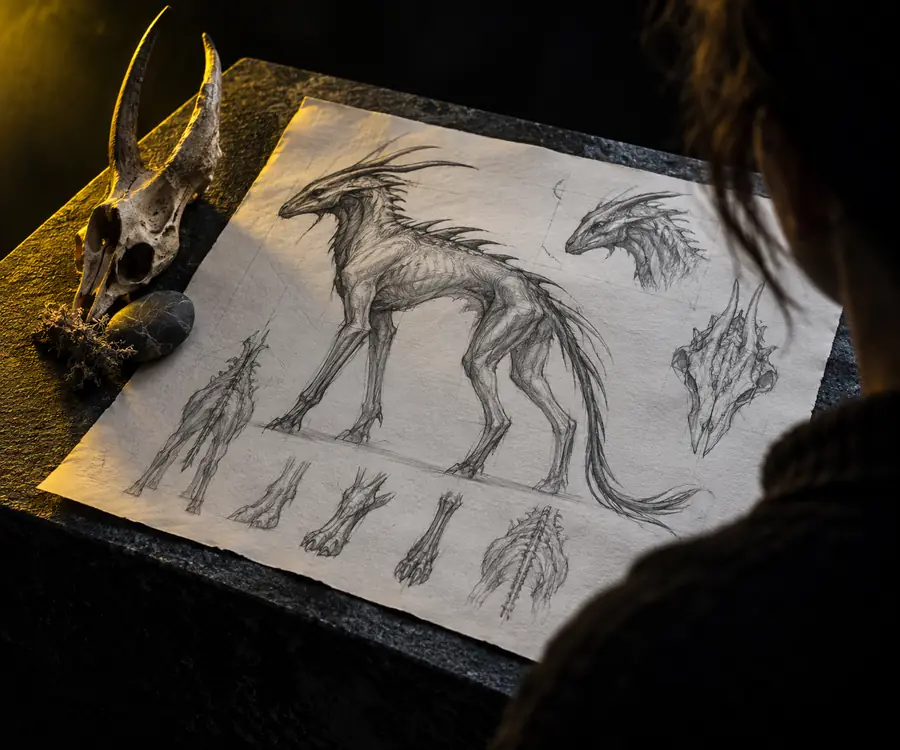

Generation starts the process; review makes the asset useful.
Reference3D draftThe core workflow is a short loop: describe or show an object, let the model generate geometry, then inspect and adapt the result for its intended use.
Describe the subject with concrete visual details or upload a reference that clearly shows the main form. A focused input gives Tripo fewer possibilities to resolve.
Tripo interprets the input and creates a three-dimensional asset draft with shape, surface cues, and enough form to evaluate the concept from different angles.
Rotate the result, look for artifacts, and decide whether it needs edits, segmentation, retopology, texturing, rigging, or export preparation.
Its value is less about removing every modeling task and more about shortening the distance between a visual idea and a workable asset.
A written description can establish a subject, style, and broad design direction before you commit time to detailed manual modeling.
Reference images give Tripo a visible subject to interpret, making the workflow useful when the idea already exists as a sketch, photo, or concept frame.
A model draft lets you assess volume, silhouette, and proportions from multiple viewpoints instead of judging an idea from one flat image.
The output can serve as a base for cleanup, materials, rigging, animation, rendering, prototyping, or other steps in a broader 3D pipeline.
The right use depends on whether you need speed for exploration or control for a finished, technically constrained asset.
Option 1
Generate several visual directions from a prompt or reference before selecting one to develop.
It helps answer design questions quickly when the shape is still changing.
Option 2
Start from an AI-generated object and refine it in the software used by your team.
You can spend more time on distinctive design decisions and less time blocking out generic forms.
Option 3
Build the asset directly when exact dimensions, watertight construction, deformation, or strict topology are non-negotiable.
A controlled workflow may be more efficient than correcting an unsuitable generated mesh.
These examples show the kinds of handoffs the tool can support: from visual reference, to model draft, to a version ready for specialist refinement.
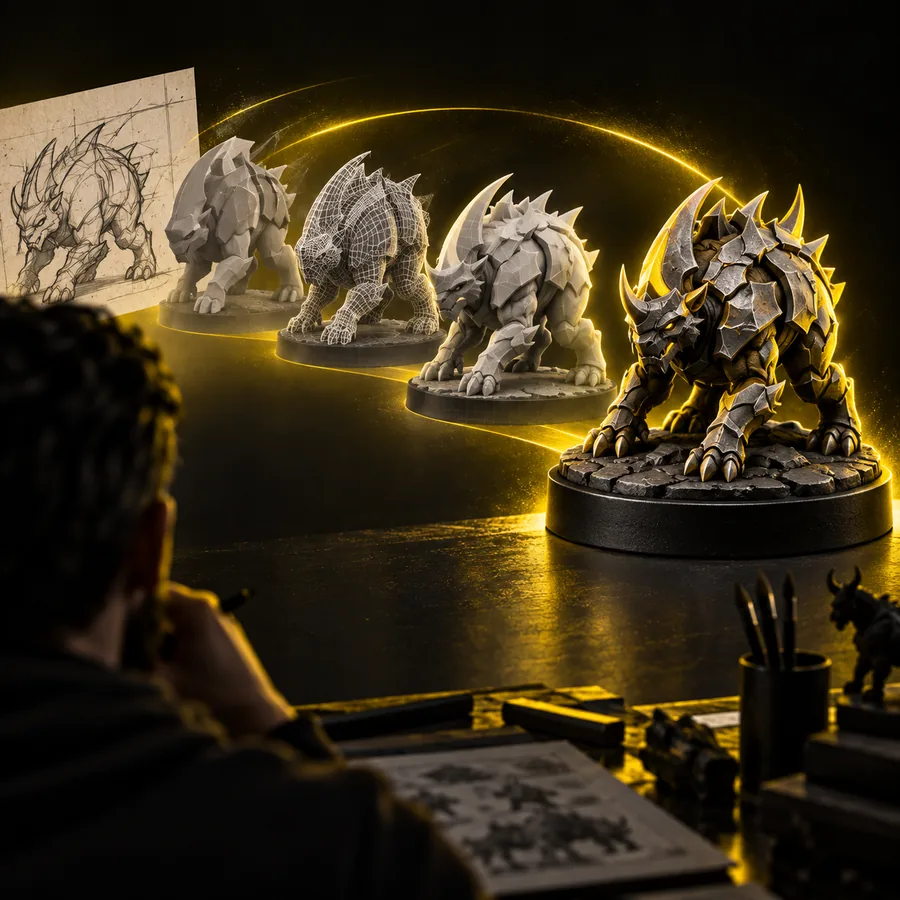 Concepting
Step 1
A reference-driven workflow gives artists a tangible object to rotate and evaluate. Tripo can establish the broad form, while the artist decides which details deserve refinement and which are only useful for exploration.
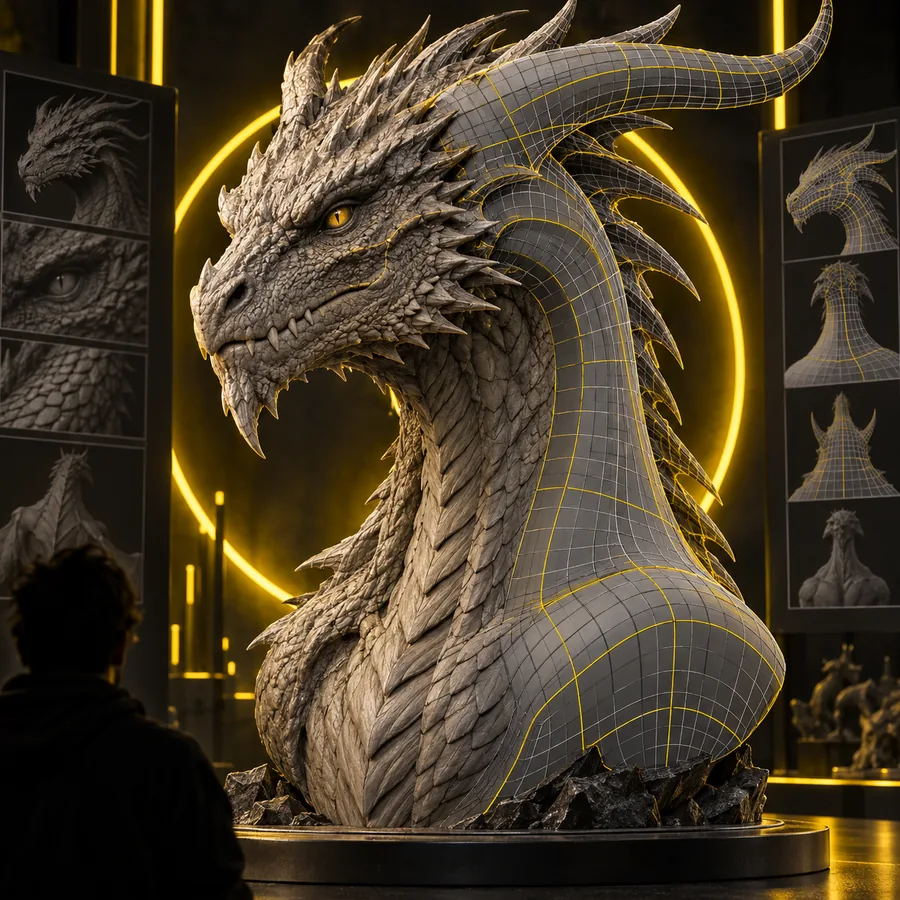 Refinement
Step 2
A model becomes more valuable when it is adapted to its destination. Game, animation, product, and fabrication workflows each impose different requirements, so Tripo output should be checked against the next tool and final use.
Tripo is most useful when you use it as a fast first step: provide a clear idea, evaluate the generated form, and carry the strongest result into your normal creative workflow.
Answers to the questions people most often ask when they first encounter the tool.
Tripo uses AI to generate 3D model drafts from text descriptions and reference images. The result can help with concept development, visual exploration, and creating a base asset for later editing.
Tripo is used to turn early ideas into three-dimensional forms more quickly than starting every asset from an empty scene. Common uses include concept art, game asset blocking, product visualization, reference exploration, and prototyping.
No. Tripo can accelerate the first modeling pass, but many projects still need manual cleanup, topology changes, UV work, materials, rigging, or optimization. Its role is best understood as an AI-assisted part of a larger 3D workflow.
Yes, image-guided generation is one of the ways Tripo can begin a 3D workflow. The system interprets the visible subject and estimates unseen form, so clear references and a careful review are important.